How to Securely Delete Files So They Cannot Be Recovered
When you empty your computer's recycle bin or trash, your files aren't actually gone. Anyone with basic data recovery software can retrieve them. Here is exactly how to permanently sanitize your data, whether you're selling a PC, disposing of an SSD, or protecting highly sensitive business files.
To permanently delete files so they cannot be recovered, you must overwrite the raw storage sectors where the data resides using a file shredding tool or secure erase command. Regular deletion only removes the file directory index, leaving the actual file intact. For standard hard drives (HDDs), tools that use multi-pass algorithms (like DoD 5220.22-M) are effective. For Solid State Drives (SSDs), you must use manufacturer ATA Secure Erase commands or purpose-built cryptographic shredding software, as standard overwriting is bypassed by SSD wear-leveling controllers.

Why Regular Deletion Is Not Enough
Understanding how file systems work is the first step to securing your data. When you delete a file and empty the Recycle Bin or macOS Trash, the operating system does not remove the file's contents from your drive. Instead, it deletes the file's entry in the master file table (MFT) or directory index.
Think of it like removing a chapter's title from a book's table of contents. The pages of that chapter are still completely intact inside the book—the reader just has to flip through the pages to find them. This is how data recovery software operates; it bypasses the "table of contents" and reads the raw drive sectors.

Data Sanitization Standards Explained
When organizations need to securely wipe data, they refer to algorithmic standards that dictate how many times data must be overwritten to prevent even microscopic magnetic analysis from retrieving it.
- DoD 5220.22-M: The U.S. Department of Defense standard. It overwrites data with zeros, then ones, then random characters (3 passes).
- NIST 800-88: The modern industry standard. It recognizes that for modern high-density drives, a single overwrite pass with a cryptographic erase is often sufficient.
- Gutmann Method: A legacy 35-pass algorithm designed in 1996. While mathematically impressive, it is overkill for modern drives and takes an exceptionally long time.

How to Do Secure File Deletion Correctly
The exact method you should use depends entirely on what kind of storage device you are targeting. Using an old HDD wiping tool on a modern SSD can actually wear out the drive without fully destroying the data.

Secure Deletion Method Picker
Select the device you are trying to wipe to see the recommended approach:
Recommendation: Multi-Pass File Shredder
Standard hard drives store data magnetically. A 1-pass to 3-pass file shredder (like DoD 5220.22-M) will successfully overwrite the sectors and permanently destroy the files.
Recommendation: ATA Secure Erase or Cryptographic Shredding
Warning: Standard file shredders don't work reliably on SSDs due to "Wear Leveling" controllers moving data around. You must use the manufacturer's secure erase tool (via BIOS) or a software tool specifically designed with SSD cryptographic deletion capabilities.
Recommendation: Factory Reset with Hardware Encryption
Modern iOS and Android phones encrypt data by default. To securely delete data from a phone so it cannot be recovered, simply perform a Factory Reset. This destroys the master decryption key, instantly turning all data into unreadable static.
Recommendation: Delete + Trash Empty + Credential Revoke
You cannot "overwrite" sectors on Google Drive. You must delete the file, permanently empty the cloud trash, and ensure there are no local synced copies on your linked devices.
SSD vs HDD: Why Secure Deletion Differs
If you take away one lesson from this guide, it should be this: solid-state drives (SSDs) and traditional hard disk drives (HDDs) handle data deletion entirely differently.
The Challenge with SSD Wear Leveling
HDDs write data linearly onto spinning magnetic platters. If you tell an overwrite tool to overwrite Sector 4, it overwrites Sector 4.
SSDs use flash memory chips. To prevent the flash memory from wearing out unevenly, the SSD's internal controller uses Wear Leveling. If you tell an operating system to overwrite "File A," the SSD controller will often intercept that command, write the new "shredding" data to a completely different part of the chip, and leave the original "File A" intact until the drive runs out of space and needs to run its garbage collection (TRIM) routine.
This means traditional file shredding software can leave up to 10-20% of your securely deleted files fully recoverable on an SSD.
How to securely delete files on SSDs
To securely delete an entire SSD (e.g., before selling a computer), use the motherboard BIOS or manufacturer software (like Samsung Magician or ASROCK SSD Secure Erase Tool) to issue an ATA Secure Erase command. This blasts a voltage spike across all memory cells, instantly resetting them.
To securely delete individual specific files on an SSD while keeping your operating system intact, you need a specialized file shredder that bypasses the OS cache, or you should utilize encrypted file containers where the key can be destroyed.
How to Permanently Delete Files in Windows and Mac
Before installing third-party tools, both major operating systems offer command-line methods to wipe free space. Note: These methods wipe the free space where deleted files used to be. You must delete the files normally first.
How to Securely Delete Files on Windows 11 / Windows 10
Windows includes a command-line tool called Cipher. While originally designed for encryption, it has a built-in wiping function.
- Delete the files you want to destroy and empty the Recycle Bin.
- Open the Start Menu, type
cmd, right-click Command Prompt, and select Run as administrator. - Type the following command:
cipher /w:C:\(replace C: with the drive letter you want to wipe). - Press Enter. Cipher will run three passes: writing zeros, then 255s, then random numbers across all empty space on the drive. This process can take hours.
How to Securely Delete Files on Mac
Older versions of macOS had a "Secure Empty Trash" feature, but Apple removed it because of the SSD wear-leveling issues mentioned above (all modern Macs use SSDs). To securely wipe free space on a modern Mac, use the Terminal:
- Open Terminal (Applications > Utilities).
- Type
diskutil secureErase freespace 2 /Volumes/Macintosh\ HD(this runs a 7-pass DoD wipe). - Press Enter. Note: This puts extreme wear on modern Apple Silicon SSDs and is generally not recommended unless strictly necessary for compliance.
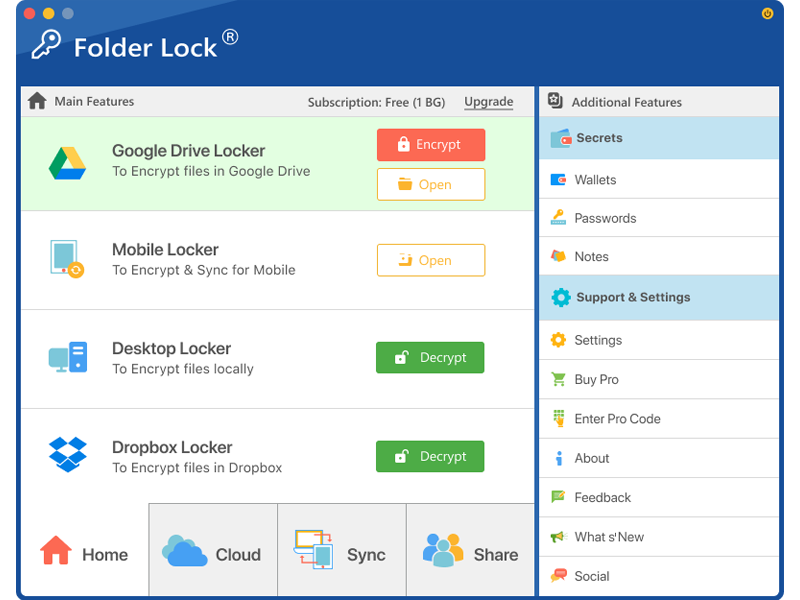
The Tool We Recommend for Most Users
While command-line tools work, they are slow, affect the entire drive, and are difficult to verify. If you routinely need to delete sensitive financial documents, client files, or personal photos so they cannot be recovered, we recommend using a dedicated software suite.
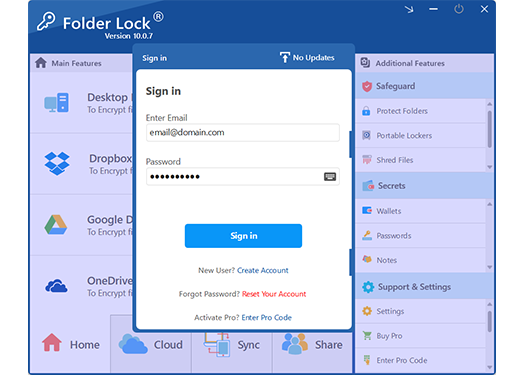
Of all the options we have reviewed, Folder Lock provides the best balance of targeted file shredding, real-time encryption, and user-friendly interface. Instead of waiting hours for a whole-drive wipe, you can right-click and securely shred specific files instantly.
Why Shredding Software is Superior to Native Tools
Using a tool like the one recommended above provides several distinct advantages over built-in OS commands when dealing with specific file destruction.


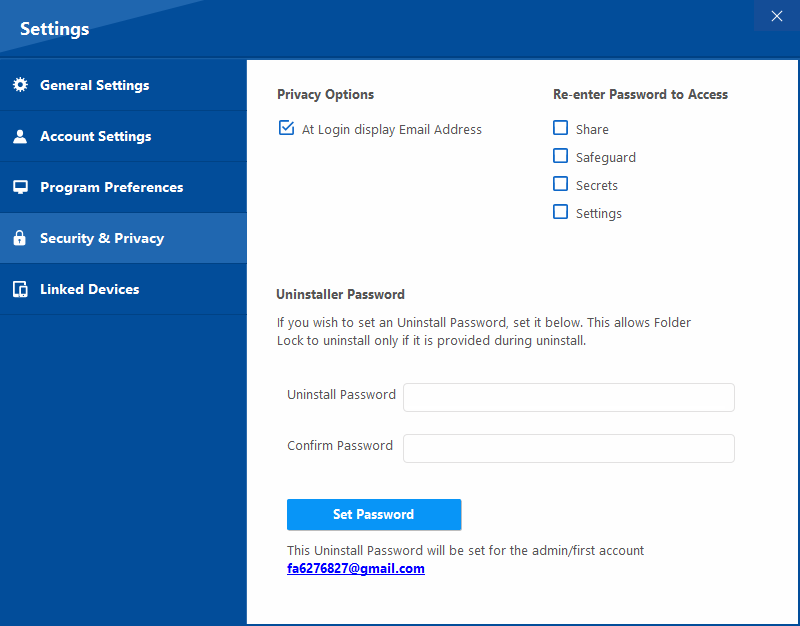
Targeted Shredding
Unlike Windows Cipher which wipes the entire free space of a hard drive (taking hours), advanced shredding software lets you target a single document, video, or folder, overwriting only those precise sectors in a matter of seconds.
Cryptographic Lock Alternates
Instead of enduring the wear-and-tear of shredding on an SSD, you can utilize military-grade AES-256 encryption. By placing a file in an encrypted vault, the raw data becomes entirely useless gibberish to anyone without your master key.
Custom Wiping Algorithms
Select the exact level of data destruction required for your situation. Options range from a rapid single-pass of zeroes or random numbers, up to the military-grade DoD 5220.22-M standard, and peaking at the exhaustive 35-pass Peter Gutmann algorithm.
Retroactive Free Space Wiping
If you have already emptied your Recycle Bin, that data is still lurking on your hard drive. Premium shredding tools can specifically target and wipe the empty sectors of your storage disk, permanently eradicating remnants of previously deleted files without touching your current data.
Failsafe Exclusions
Accidentally shredding your own secure backups is a nightmare scenario. Advanced tools allow you to configure strict exclusion lists, automatically preventing the shredder from touching your encrypted vaults, portable lockers, or hidden system folders.
Digital Footprint Erasure
Deleting a file is only half the battle. Your operating system keeps detailed logs of your activities. Comprehensive privacy suites will also purge your clipboard data, media player history, "Run" command logs, and temporary Windows files to ensure absolute confidentiality.
File Deletion Methods Compared
| Method | Difficulty | Security Level | Best For | Limitations |
|---|---|---|---|---|
| OS Recycle Bin / Trash | Very Low | Zero (Easily Recovered) | Accidental deletion safety | Leaves data entirely intact on disk |
| Windows Cipher Command | Medium | High | Free whole-drive wiping | Takes hours; command-line only |
| BIOS ATA Secure Erase | High | Maximum | Pre-sale SSD wiping | Erases entire OS; complex setup |
| Folder Lock (File Shredder) | Low | Maximum (DoD Standard) | Targeted daily file destruction | Commercial software (requires download) |
How to Securely Delete Files Using Folder Lock
If you choose to use third-party software, the process is streamlined to avoid the command prompt.

- Install the Software: Download and install Folder Lock on your PC.
- Access the Shredding Utility: Open the application, navigate to the safeguard dashboard, and select the dedicated file shredding module.
- Select your target: Click to add individual files, entire folders, or even whole drive partitions. Browse your computer to locate the sensitive documents you wish to destroy.
- Choose the wiping algorithm: Open the shredding preferences to select your overwrite intensity. You can choose a basic zero-fill, random numbers, the 3-pass DoD 5220.22-M standard, or the extreme 35-pass Gutmann method depending on your security needs.
- Execute the shred: Confirm the warning prompt and initiate the shred. The software will overwrite the raw sectors and permanently remove the directory index. Note: This action cannot be undone by any recovery software.
Troubleshooting & Specific Use Cases
Data Recovery Risk Assessor
Assess how likely it is that someone could recover your deleted files based on your actions.
Select an option above to see your risk level.

How Can I Fully Delete Texts So That They Can Not Be Recovered?
Mobile device storage operates entirely differently than a PC hard drive. Modern iOS and Android phones encrypt their internal storage by default. To fully delete text messages so they cannot be recovered by police, hackers, or forensic software, you must delete the texts from the app, then ideally perform a full Factory Data Reset of the phone. The factory reset throws away the master encryption key, meaning the raw flash memory containing the texts becomes permanently scrambled.
How to Permanently Delete Data from Phone So It Cannot Be Recovered
For Android and iPhone, the only guaranteed method to permanently wipe the entire device is a Factory Reset. Mobile operating systems tightly sandbox their applications, meaning a third-party "shredder app" lacks the root-level permissions necessary to overwrite sectors occupied by other programs. If you only want to protect specific files rather than wiping the whole phone, your safest alternative to deletion is utilizing a secure mobile vault app to encrypt the files with AES-256, rendering the underlying data useless to anyone without the master password.
How to Recover Files from a Locked or Encrypted Folder
We receive many queries asking for methods to recover files deleted from a password-protected folder, or how to delete locked files when the password is forgotten. If the files were secured using genuine encryption (like Folder Lock), there is no backdoor.
Owner-safe recovery steps:
- Check if the software created an unencrypted backup in your synchronized cloud storage.
- Look for the master serial number or license key email. Some legacy software versions allow password resets using the master license key.
- If the folder is locked by OS file permissions (not encrypted), you can often regain access by taking Ownership of the folder via the Windows Security tab in file properties.
- Be wary of online tools claiming to "crack" encrypted lockers. Most are malware.
Folder Lock Pricing: What You Get
If you decide to upgrade from native command-line wiping to a dedicated interface, here is what the software tiers provide.
Free Trial Version
Basic file locking, limited secure deletion features, suitable for testing the interface.
Full Pro Version
Unlimited DOD-standard file shredding, AES-256 encryption lockers, stealth mode, and cloud syncing.
Frequently Asked Questions
The Basics of Secure Deletion
Specific Devices & Platforms
Cloud & Social Media
The Bottom Line
Data remanence is a serious privacy risk. Whether you are discarding an old hard drive or protecting sensitive tax documents, standard deletion is never enough. For full drive sanitization, use native Cipher commands or BIOS ATA erase tools. For daily, targeted protection of individual files and folders, implementing a secure file shredder and encryption locker like Folder Lock is the safest, most practical approach.